DatePicker

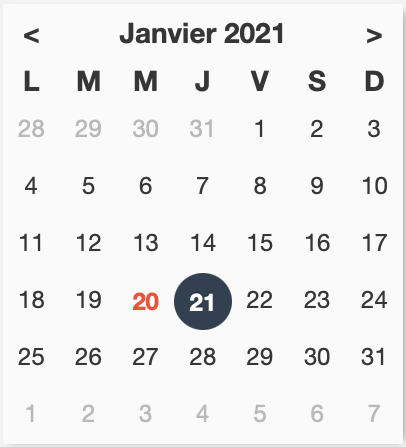
This add-on allows you to select a date in a widget and to easily navigate between months / years / decades / centuries and to retrieve the date in the FileMaker format chosen directly in a FileMaker solution.
Simply made with a web viewer, it is possible to configure the web viewer completely independently with a simple copy and paste. Responsive, the size is determined by the size of the web viewer.
- Selection and retrieve of one or more dates according to a chosen format
- Selection of the calendar language following a multitude of choices
- Next / previous navigation
- Navigation on month / year / decade / century views
- Possibility to deactivate the views and limit the accessible dates
- Current day display
- Showing or hiding week numbers
- Possibility to highlight certain days of the week
- Possibility to deactivate certain days of the week
- Possibility to deactivate certain dates
- Customization of the background color, the color of the current date, the color of the selected dates
- FileMaker script for interaction with the Add-on
- Responsive
- No context needed
Compatibilities
Operating systems :
- macOS Catalina 10.15 or greater
- Windows 10 64-bit or greater
- iOS 13.2 or greater
Plateforms :
- Claris FileMaker Pro 19.3 or greater
- Claris FileMaker Go 19.3 or greater
Please note that on FileMaker Go 19 the DatePicker activation inside the web viewer require a double tap.